Features
Made for the way interior designers work.
01My Day
Start every day knowing what matters.
The problem. Work arrives from every project at once, and it's hard to tell what genuinely needs doing first.
What it does
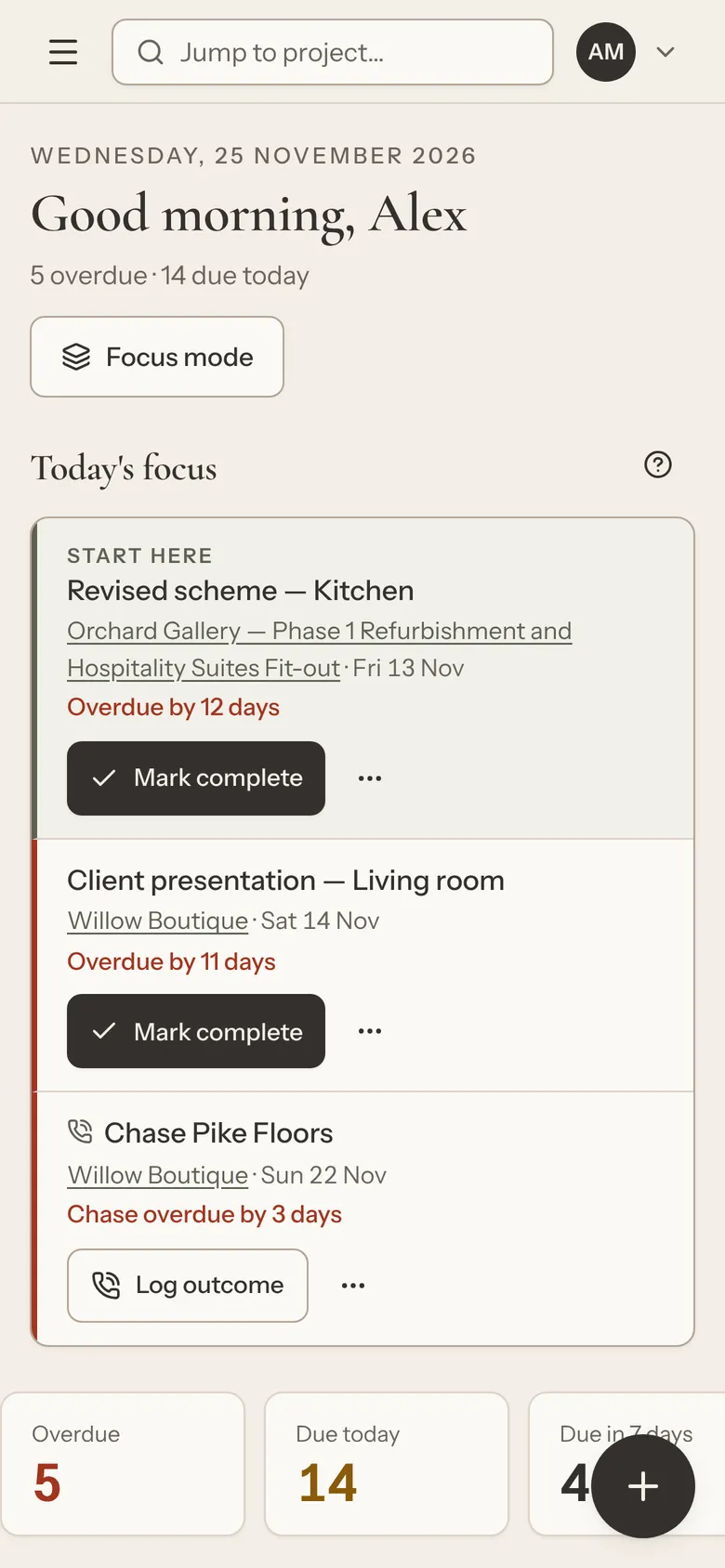
- “Today's focus”: the three tasks to start with, chosen from what's overdue, due today and high priority
- Counts of overdue, due today, due in 7 days, blocked and waiting on others
- Your priorities across every project, grouped by overdue, today and upcoming — searchable, filterable and sortable
- Complete, reschedule or change priority straight from the list; full details one click away
- Projects of yours that need attention, with the reason
Less time deciding what to do; more time doing it.
Try My Day free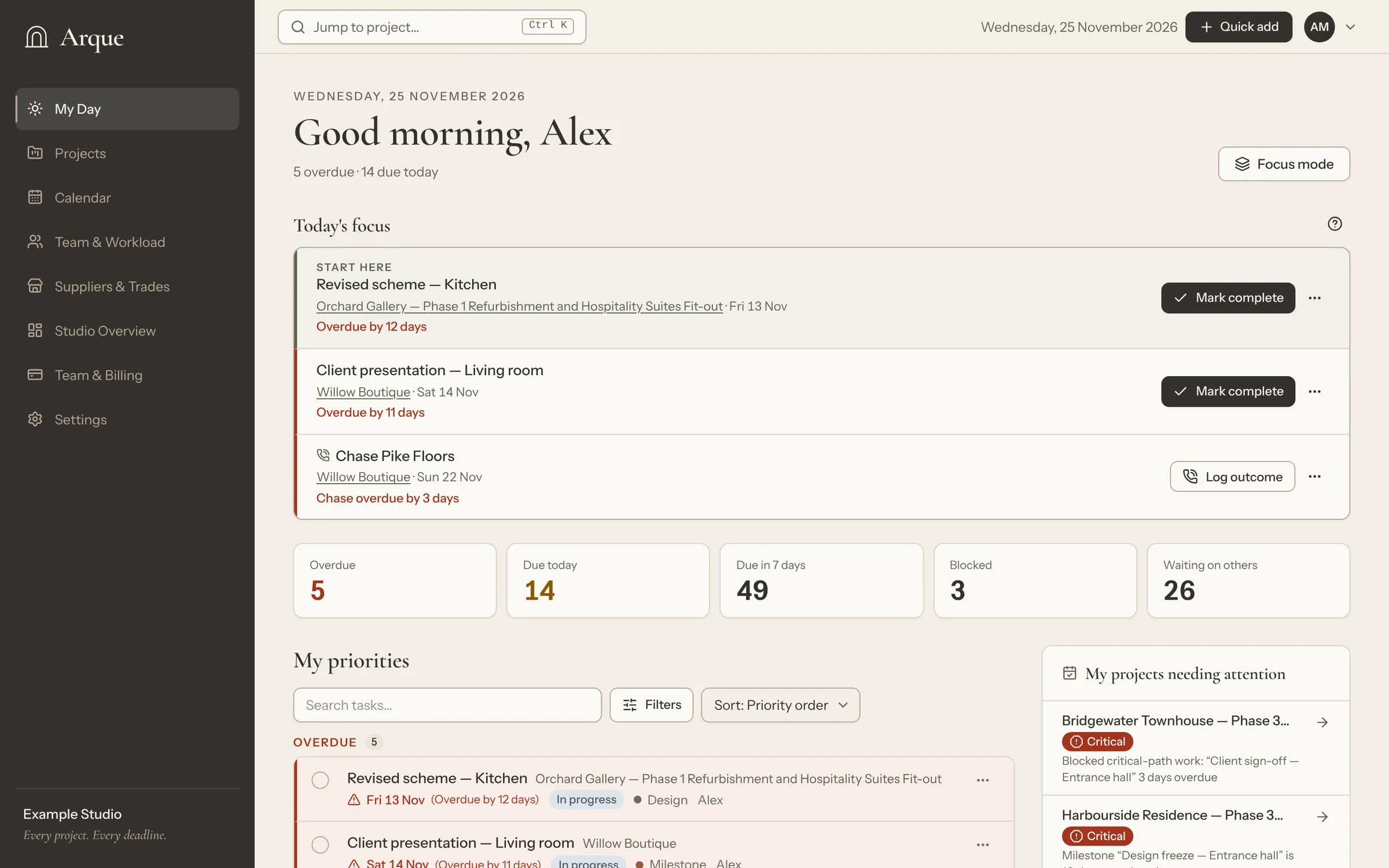
02Projects
Every project, and everything about it.
The problem. A project's status is spread between people's heads, emails and spreadsheets.
What it does
- A list of every project with its stage, lead designer, health and next deadline
- Studio stages from awaiting client go-ahead to finished
- Each project workspace holds its deadlines, deliveries, suppliers and trades, risks, team and a full activity history
- Health flags (critical, at risk) with the reason, so the right project gets attention
Anyone in the studio can open a project and see exactly where it stands.
Explore projects in the tour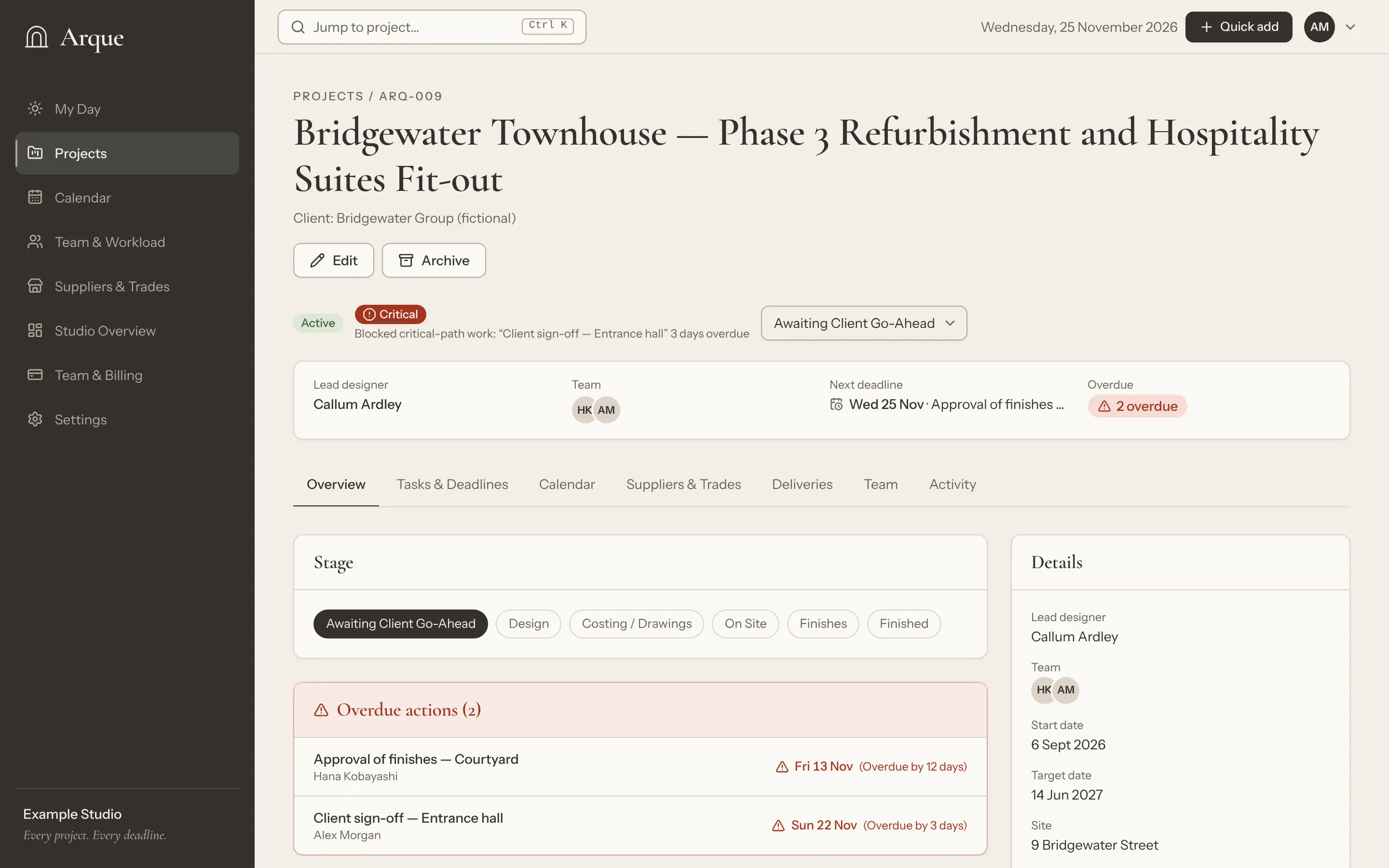
03Calendar
The studio's deadlines, by day.
The problem. Deadlines kept in personal calendars can't be seen by the rest of the team.
What it does
- Every deadline, delivery, site visit and milestone on one calendar
- Agenda, week and month views
- Show your own work or the whole studio's
- Open any entry to see and change its details
One calendar the whole studio trusts, kept up to date by the work itself.
Start free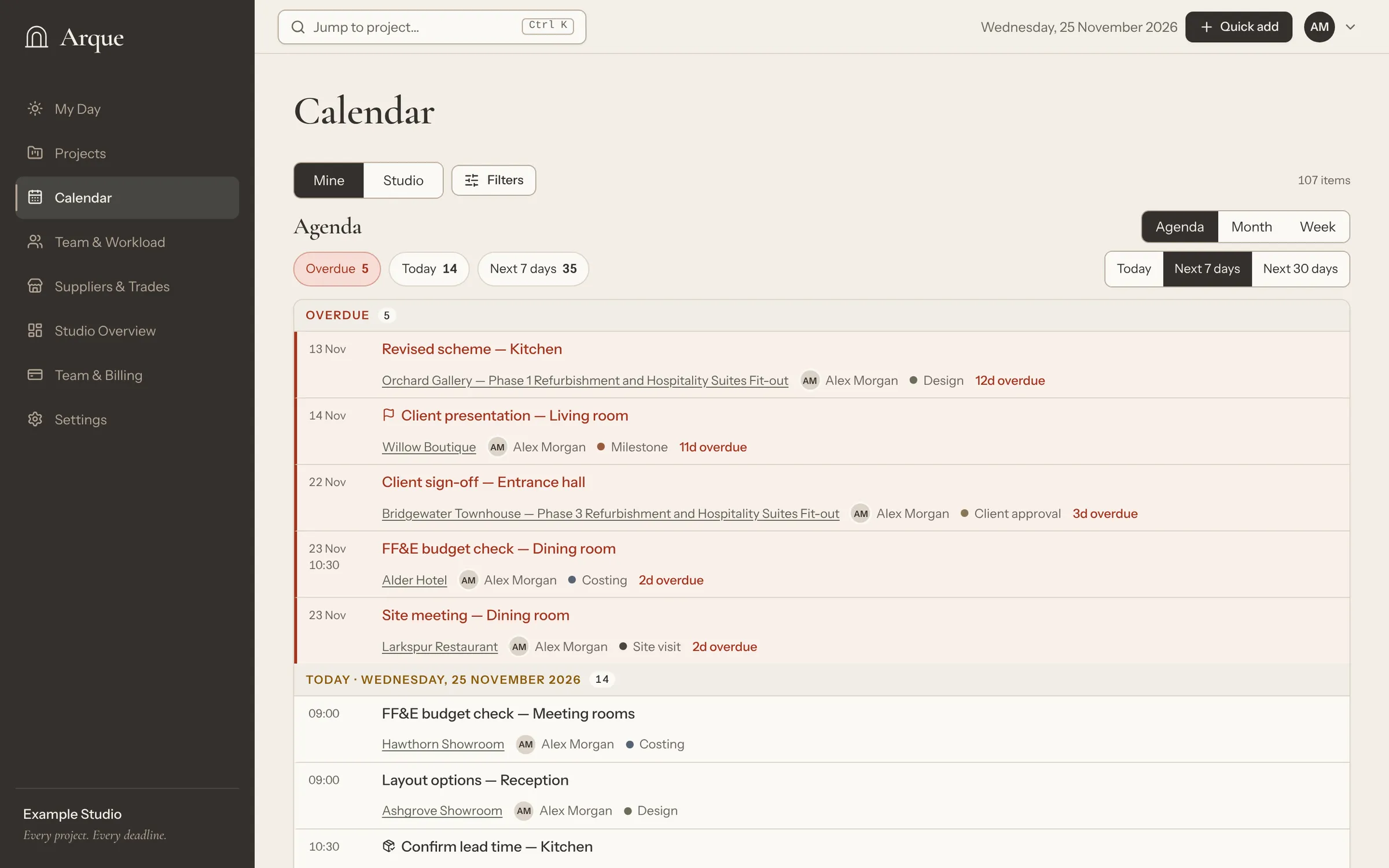
04Team & Workload
See who's stretched — and who has room.
The problem. Studio owners struggle to see how work is spread across designers.
What it does
- Each designer side by side: active projects, open tasks, due this week, overdue and on site
- Effort points per project, so a small refit and a hotel don't count the same
- Assign work to a designer from the same screen
- Drill into any designer's tasks and projects
Balance work before deadlines slip, not after.
Arque for studios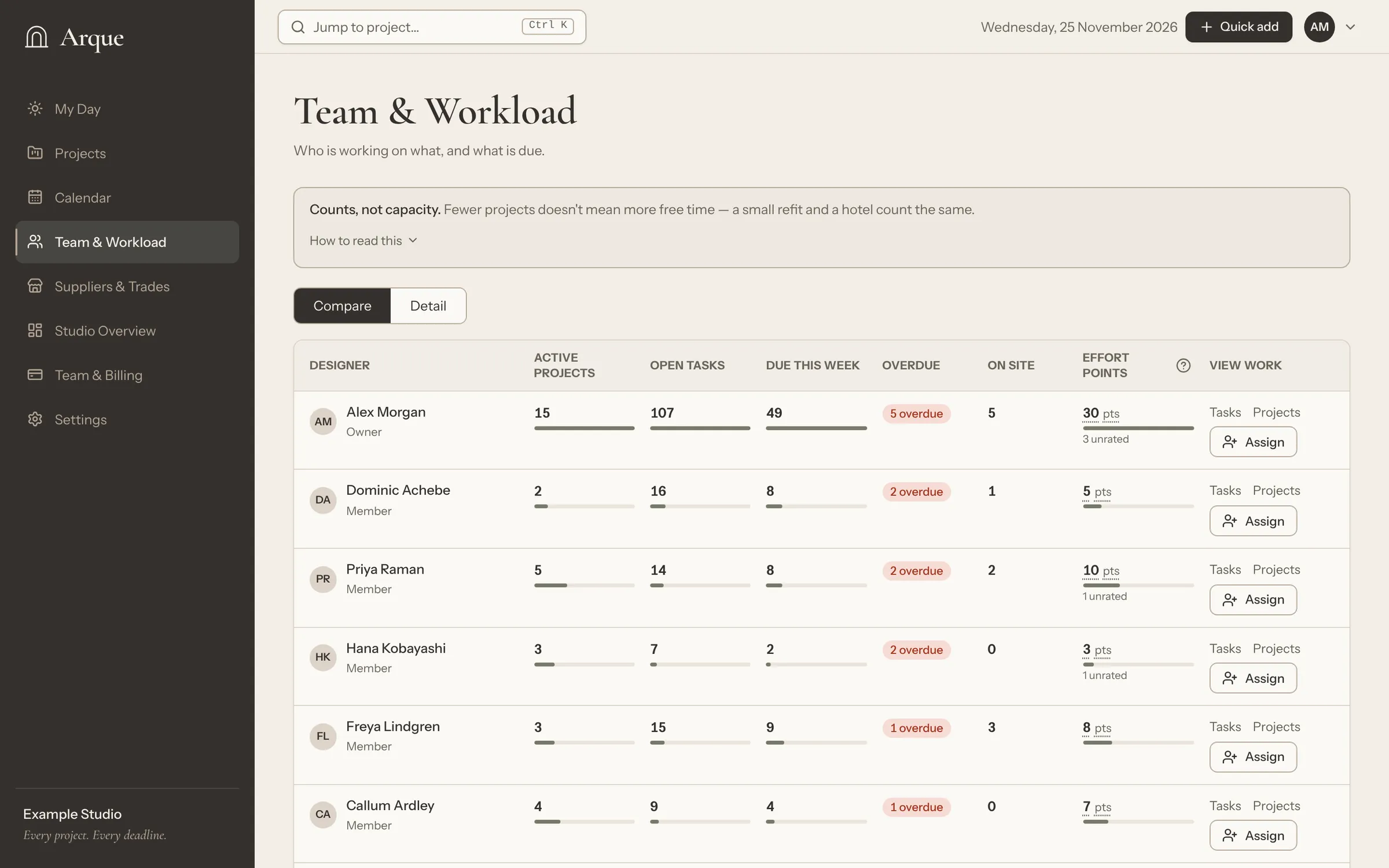
05Suppliers & Trades
Keep track of every promise made to you.
The problem. Lead times, samples and quotes get promised on the phone — and forgotten.
What it does
- A shared directory of suppliers, contractors and trades
- Follow-ups with the date to chase next and any date that was promised
- Record what happened each time: contact attempted, response received, new date confirmed, rescheduled or resolved
- Deliveries marked awaiting confirmation, confirmed or delayed
- Arque never contacts anyone for you — it keeps your record straight
Nothing waits on a supplier without someone knowing about it.
Try supplier follow-ups in the tour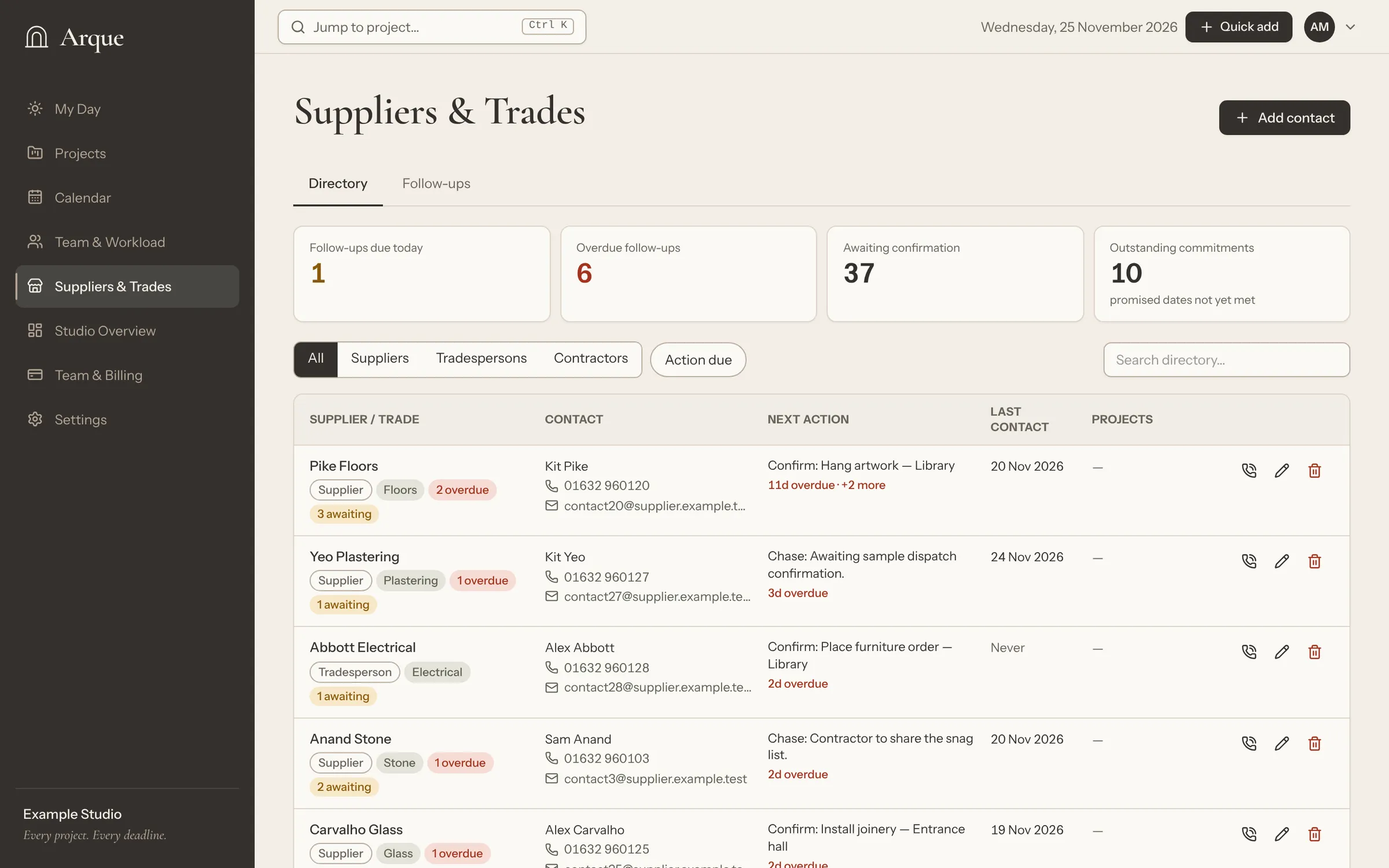
06Studio Overview
The whole studio on one page.
The problem. Directors need an honest picture of the studio without asking everyone for an update.
What it does
- Active projects, overdue tasks, due in 7 days and work waiting on others
- Projects needing attention — critical first — with the reason and who leads them
- Upcoming milestones and recently completed projects
- Every number opens the list behind it
Spot problems early, and ask about the right project.
Arque for studios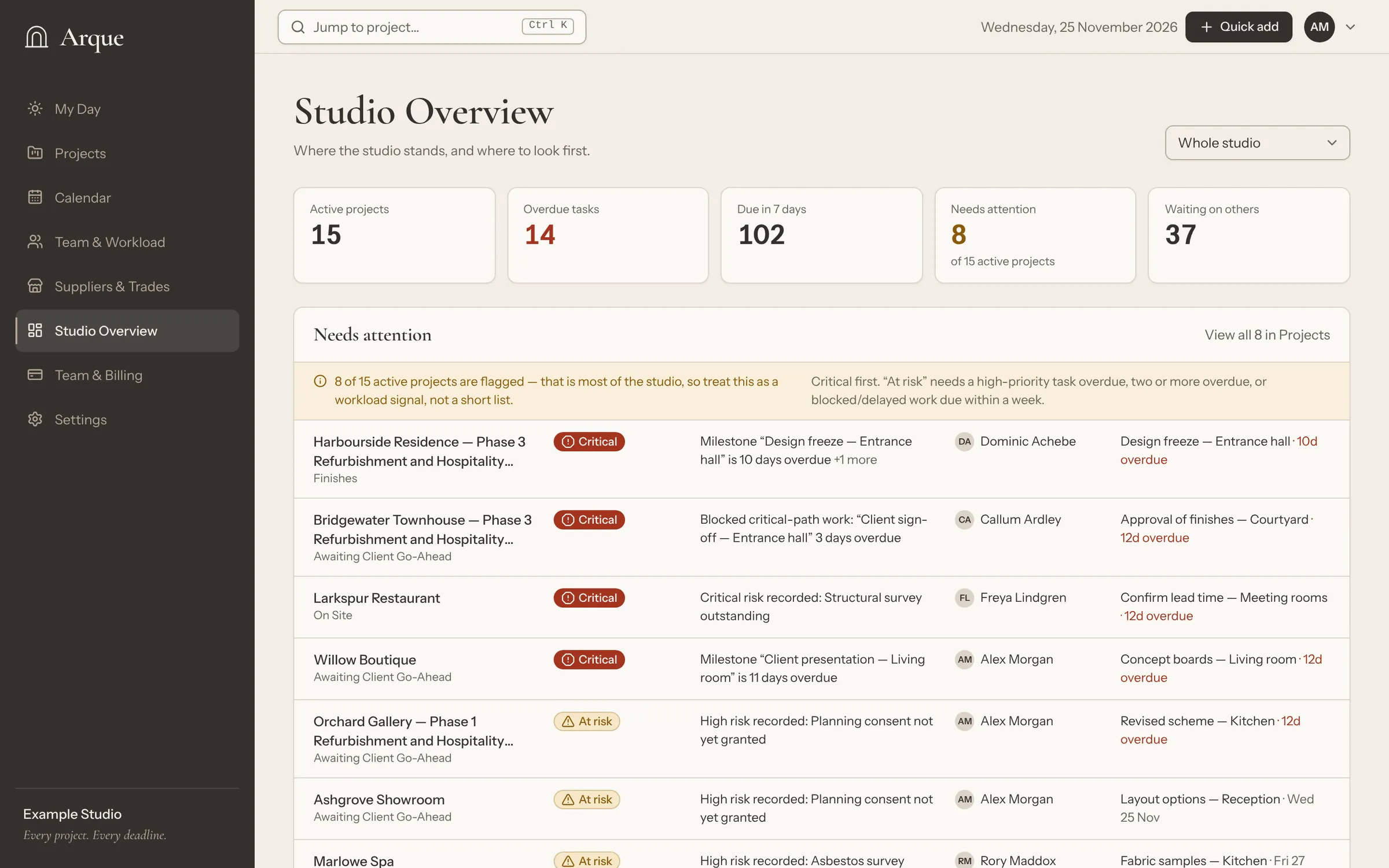
07Focus Mode
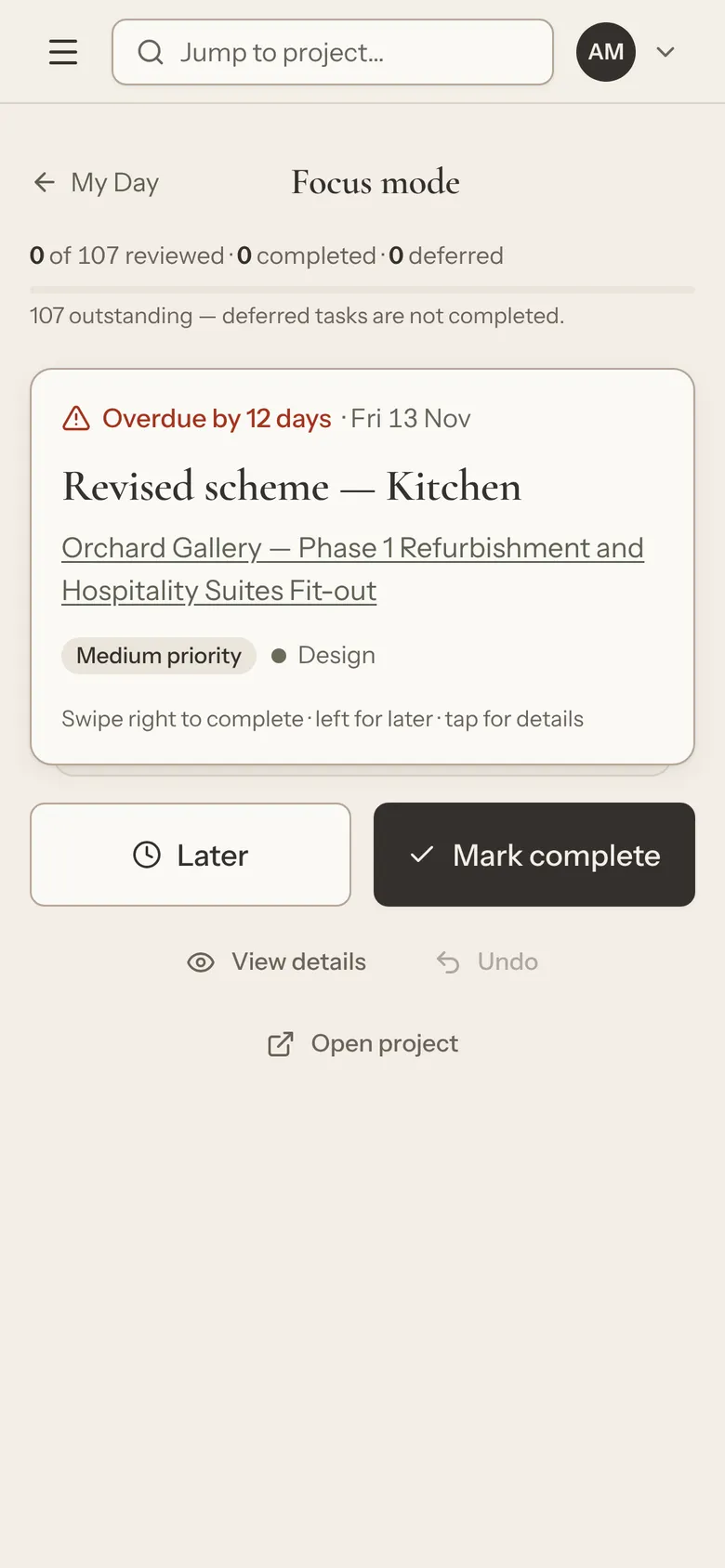
One task at a time.
The problem. A long list makes it hard to start anything.
What it does
- Your priorities as a single card at a time, in the right order
- Mark it complete or move it to later — on a phone, swipe the card
- Undo your last action; open the full details when you need them
- Keyboard shortcuts on a computer
Get through the list without being overwhelmed by it.
Start free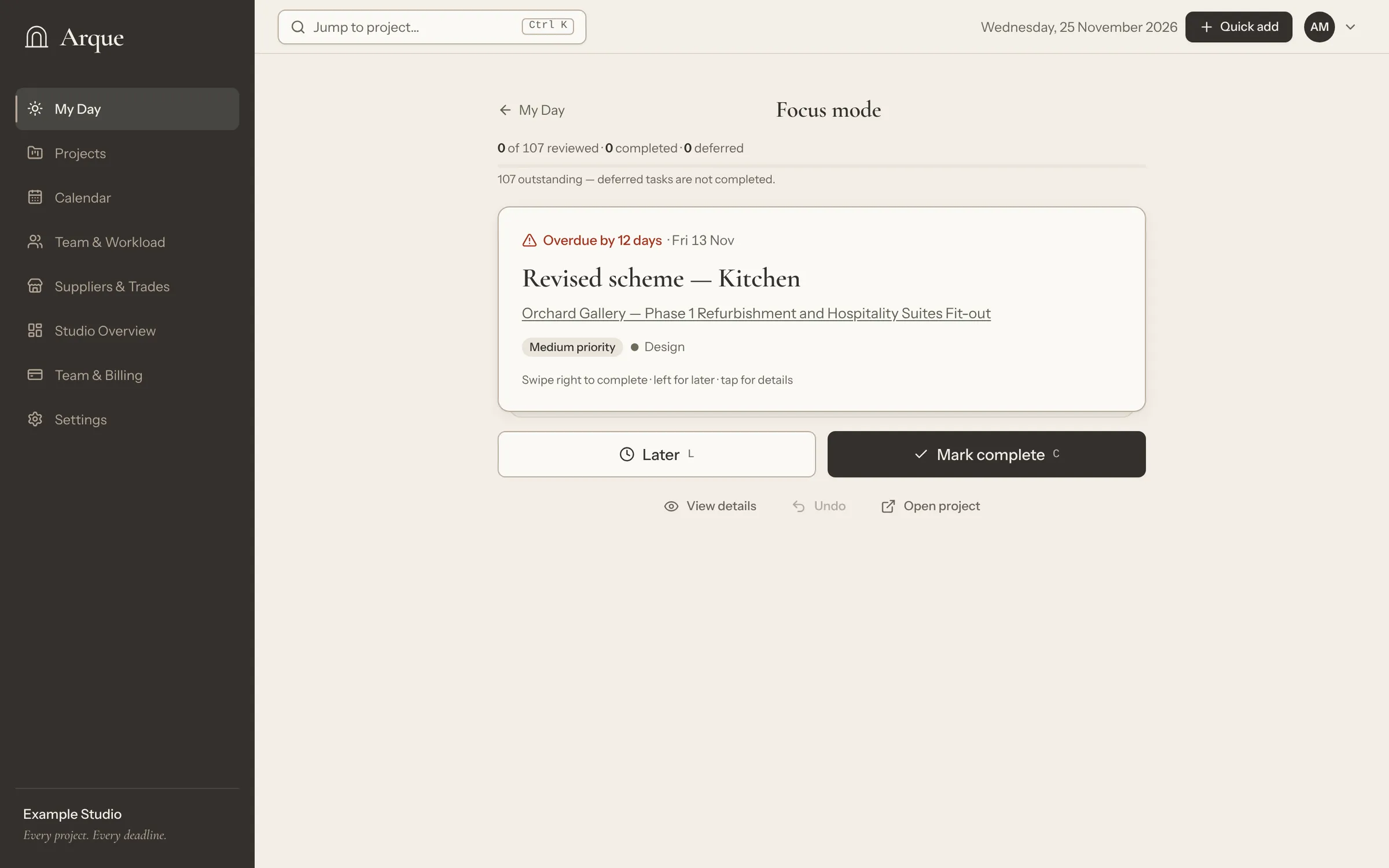
08Working together
One shared picture of the work.
The problem. When everyone keeps their own copy, nobody's copy is quite right.
What it does
- Everyone in the studio works from the same projects, deadlines and supplier records
- Assign work to any designer; it appears in their My Day
- A history of who added, completed, reopened or moved a deadline, and when
- Owner, admin and member roles; invite people by email
Fewer “is this the latest?” conversations.
Arque for studios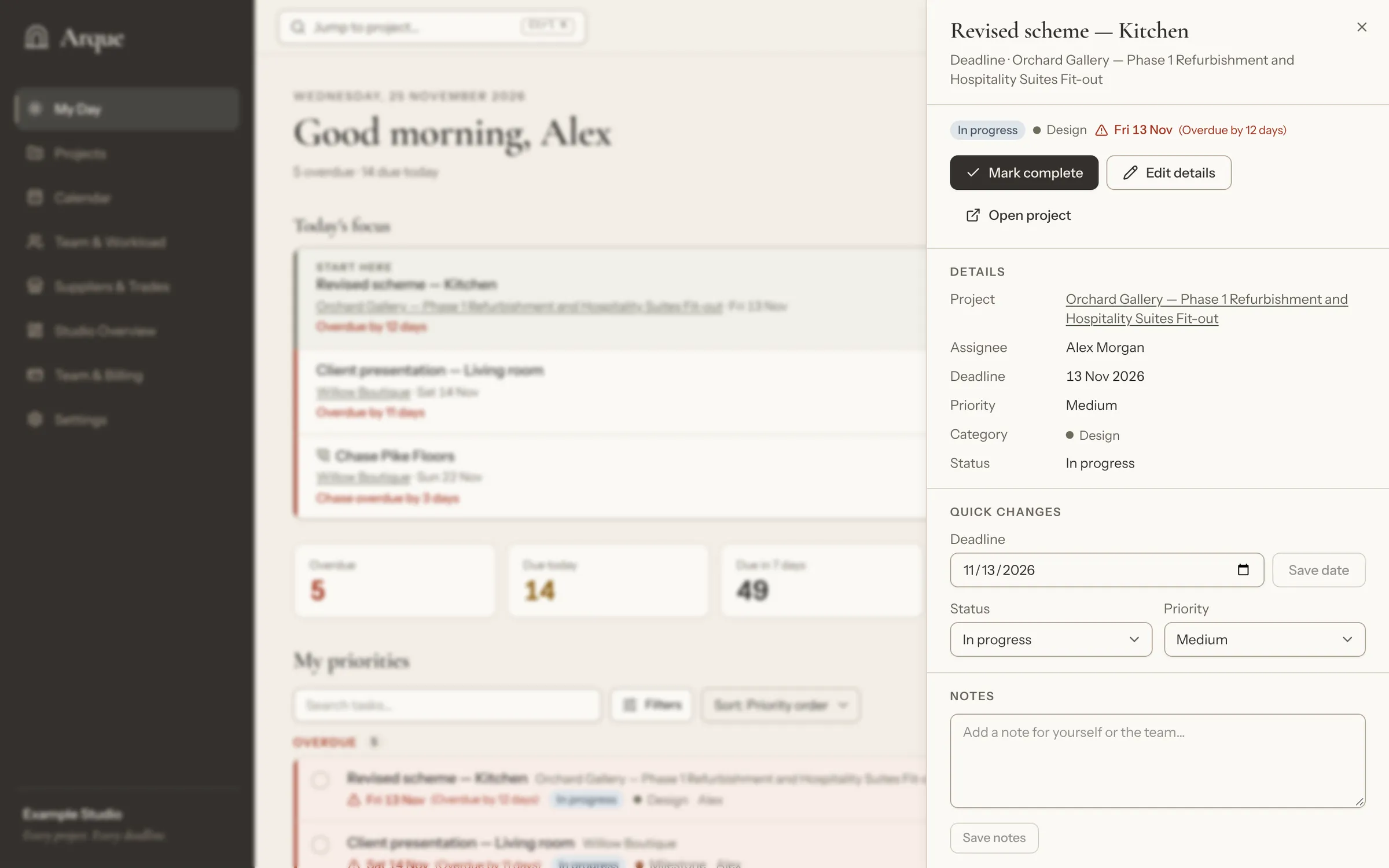
In development
Coming later — not available yet.
We're working on these. They aren't part of any plan you can buy today, and we'll only offer them once they work properly.
- Project templates
- AI daily briefings
- AI project summaries
- AI supplier follow-up drafts
- Advanced reporting
- Workflow automations
- Advanced workload planning and forecasting
- Intelligent deadline assistance
Make room for better work.
Free to start. No card required.