Skip to content

For studios

One live picture of the studio, for everyone in it.

Arque gives every designer the same up-to-date view of the studio's projects and deadlines — and gives the studio director a clear view of workload, risk and what needs attention.

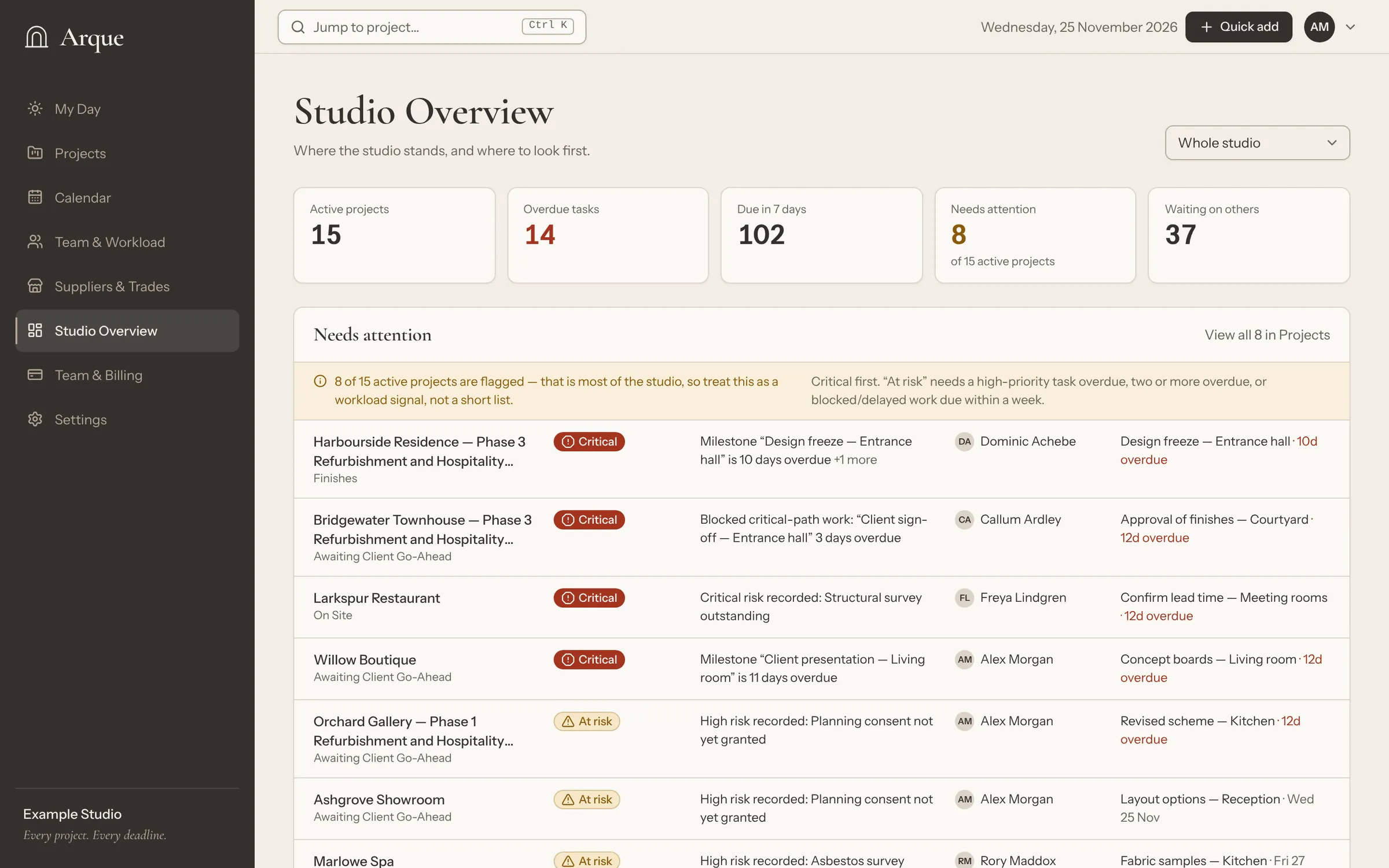
Arque's Studio Overview: active projects, overdue work, and projects needing attention with their reasons.
Studio Overview — the real Arque interface, shown with a fictional example studio.

01For studios

Every designer, one workspace.

Invite your team by email. Everyone works from the same projects, deadlines and supplier records, with owner, admin and member roles. Every member can see all of the studio's projects — there are no private copies to keep in step.
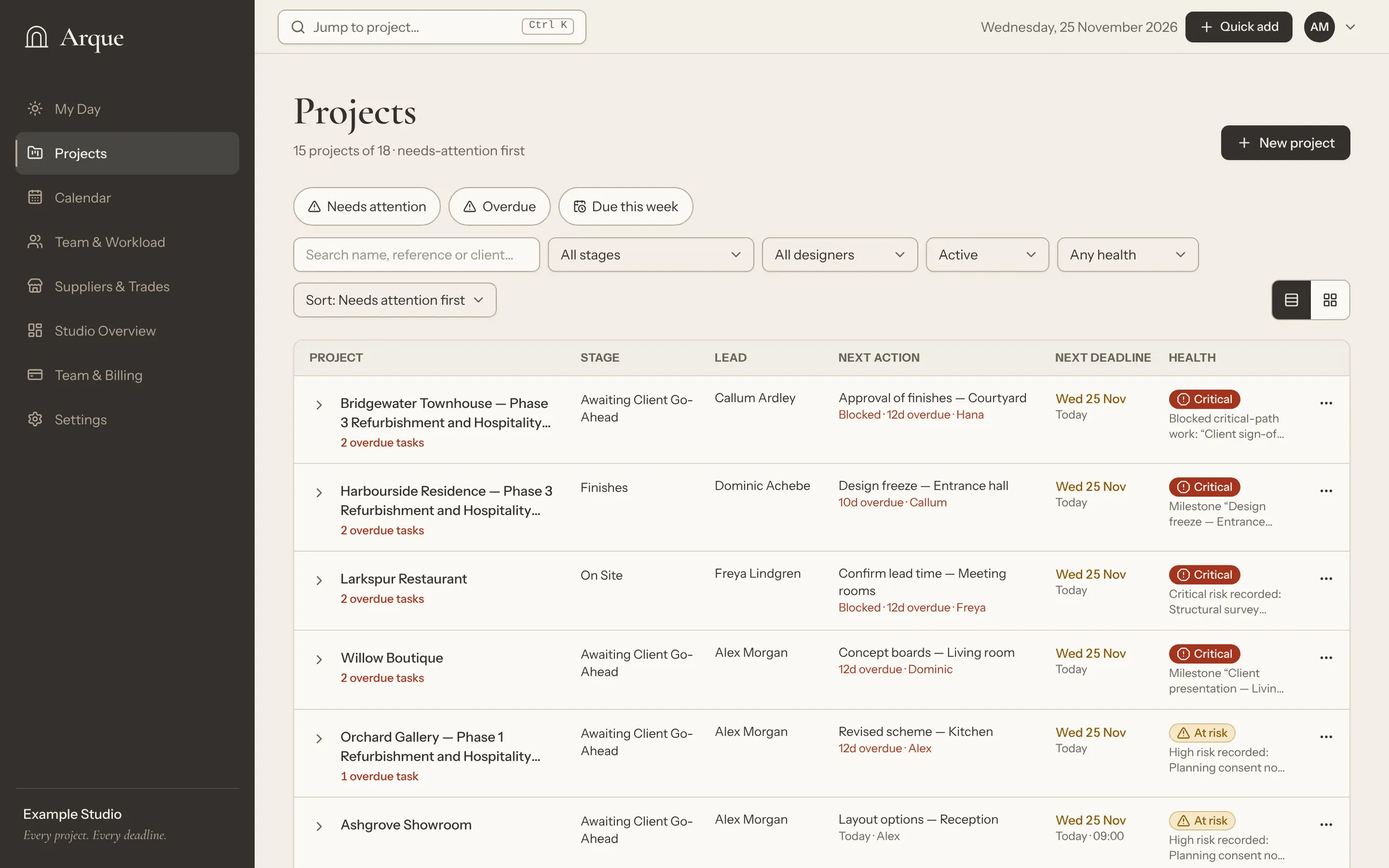
Arque's Projects list.
Projects — the real Arque interface, shown with a fictional example studio.

02For studios

One shared record of the work.

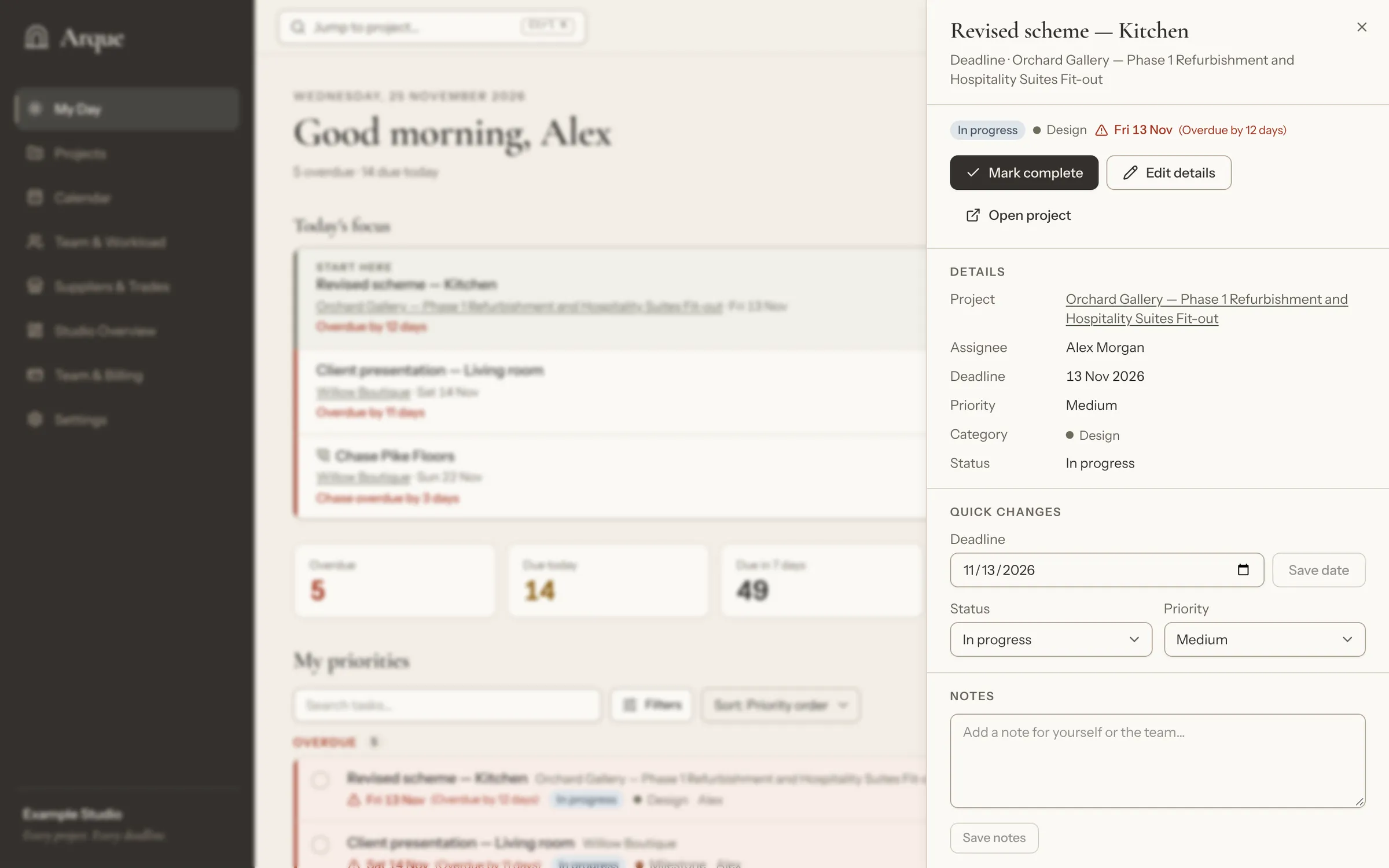
Every project, deadline, delivery and supplier follow-up lives in one place that the whole studio uses, with a history of who added, completed or moved each deadline. Assign work to a designer and it appears in their My Day.

A task's details in Arque, with its history.
Task details — the real Arque interface, shown with a fictional example studio.

03For studios

Shared calendars and deadlines.

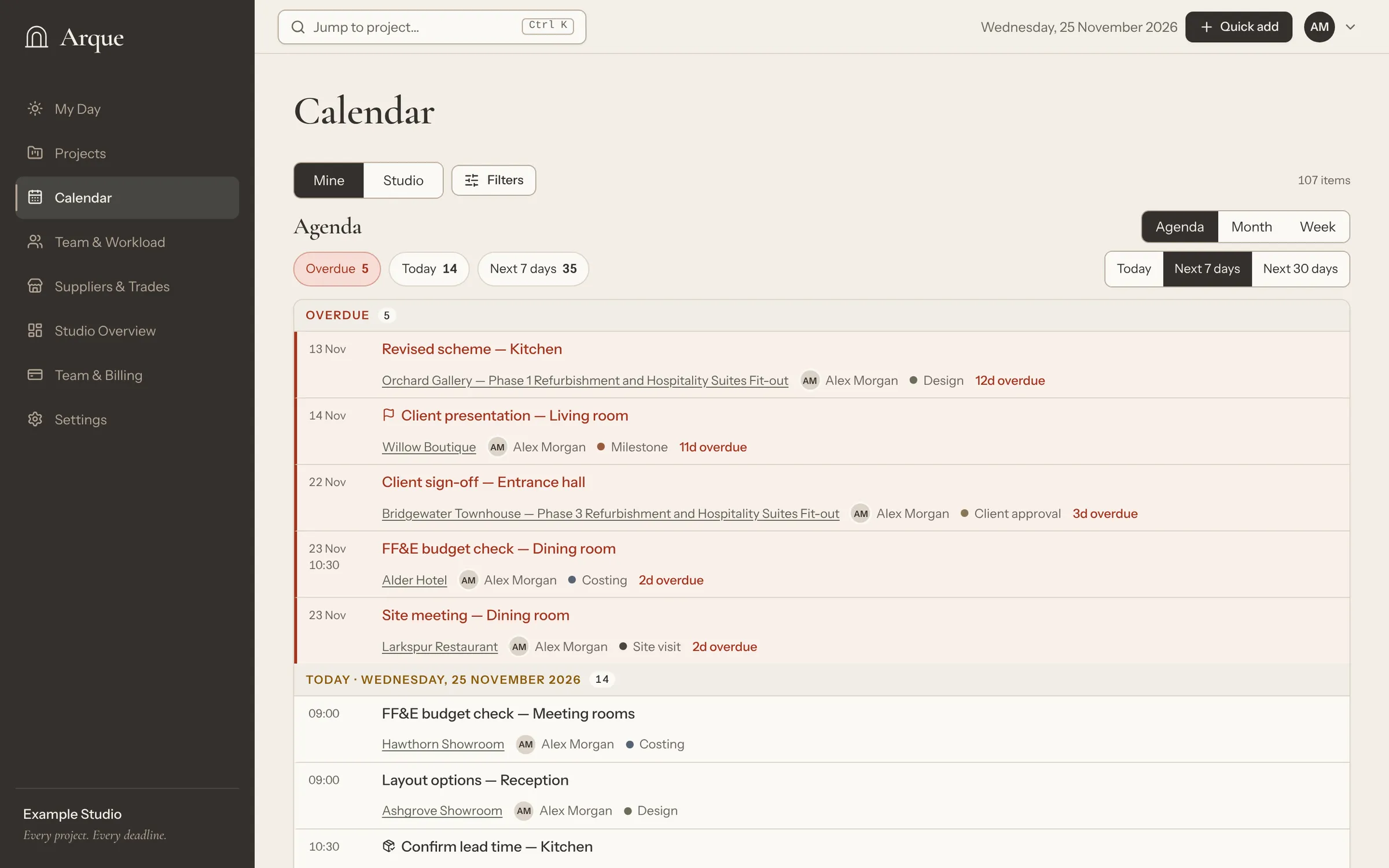
One calendar for the studio's deadlines, deliveries and site visits, with each designer able to switch between their own work and everyone's.

Arque's Calendar.
Calendar — the real Arque interface, shown with a fictional example studio.

04For studios

Workload you can see.

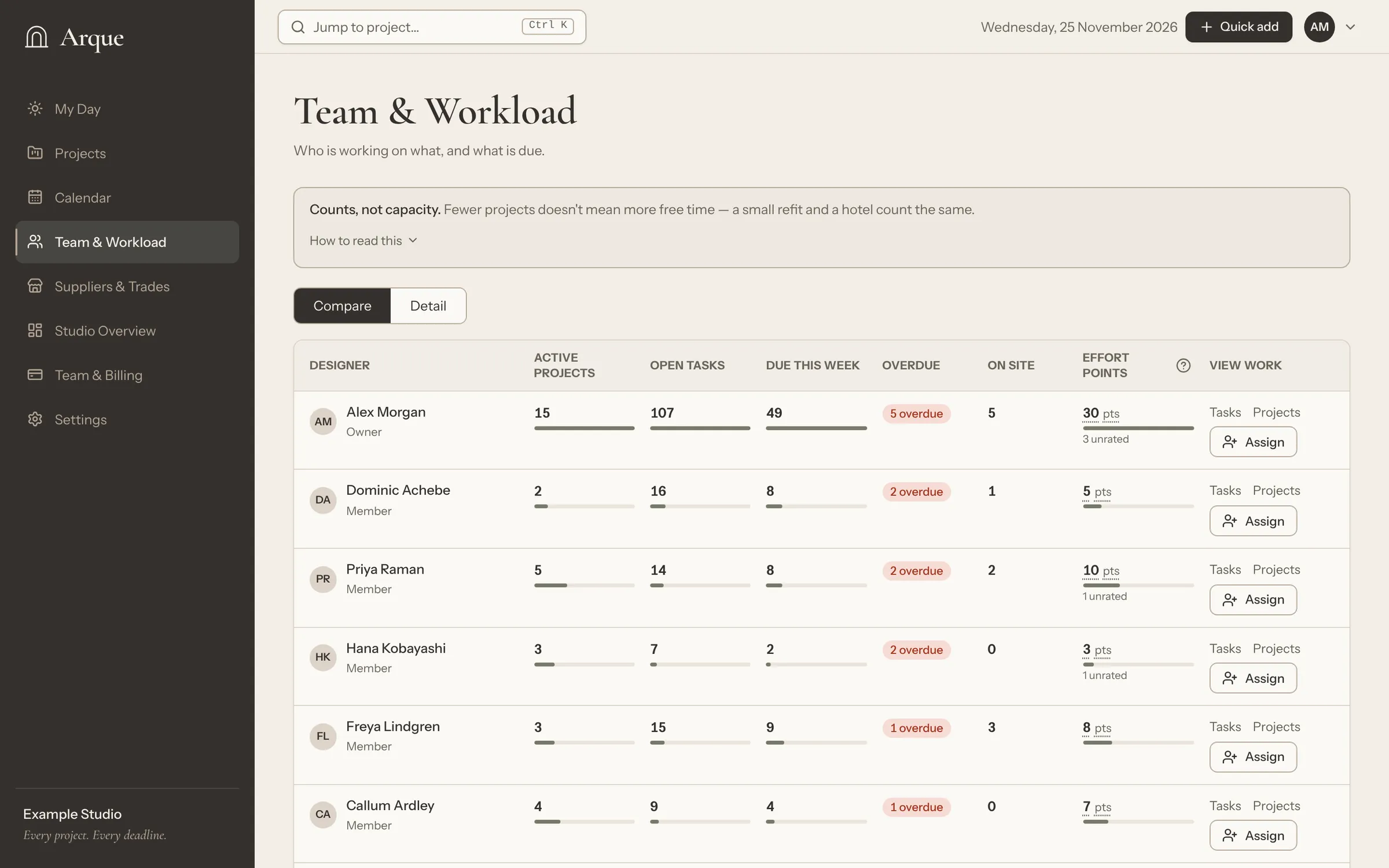
Team & Workload puts each designer side by side — active projects, open tasks, what's due this week and what's overdue — with effort points so large and small projects don't count the same. Assign work from the same screen.

Arque's Team & Workload screen.
Team & Workload — the real Arque interface, shown with a fictional example studio.

05For studios

Oversight without the meetings.

Studio Overview flags the projects that need attention and why, critical first. Every number opens the list behind it, so you can ask about the right project at the right time.

Arque's Studio Overview.
Studio Overview — the real Arque interface, shown with a fictional example studio.

Studio management

  • Owner, admin and member roles
  • Invite by email; invitations expire after 14 days
  • A history of who changed what, and when
  • Per-user pricing, 5% off every user from the 5th
  • Upgrade, add or reduce users from Team & Billing

Make room for better work.

Set up your studio

Free to start. No card required.